
 Loading...


Play The Password Game online for free, a viral puzzle challenge that turns a simple task into a hilarious test of brainpower. Instead of just typing a boring secret code, you have to follow a list of rules that gets crazier and harder with every step. From adding up numbers to playing chess inside your password box, this game is packed with surprises that will make you laugh and think at the same time.
Whether you are playing on a phone, tablet, or computer, The Password Game is packed with unique puzzles that require logic, math, and a bit of luck. You will meet Paul the chicken, solve geography quizzes, and try to keep your password safe while the requirements pile up. It is the perfect mix of frustration and fun that keeps you trying again and again.
Do you have what it takes to beat all the rules and create the ultimate password?
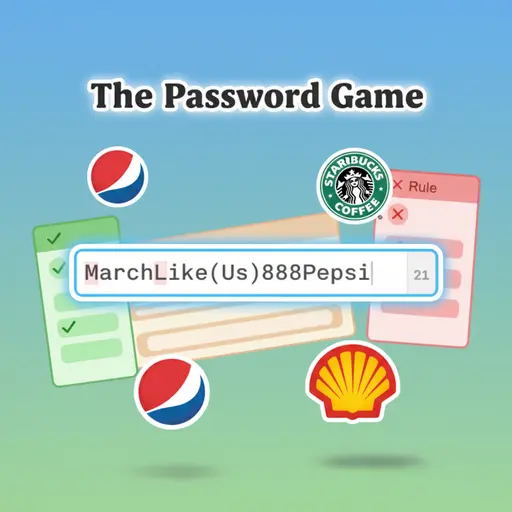
About The Password Game
The Password Game is a browser-based puzzle game where the rules for creating a password become increasingly complex and absurd. It was first released in June 2023 and quickly became an internet sensation, played by millions of people and popular streamers around the world.
The game was created by Neal Agarwal, a creative developer famous for making funny and viral web experiments. Whether you're playing on a desktop, tablet, or mobile phone, The Password Game is designed to test your problem-solving skills in the most unexpected ways possible.
Thanks to its mix of math, geography, and chess puzzles, The Password Game continues to be a favorite choice for kids and players of all ages who love logic challenges that don't take themselves too seriously!
The Password Game Gameplay
The Password Game is deceptively difficult! You start with a simple blank box and a request to choose a password. Your main goal is to modify your text so that it follows every single rule that appears on the screen. You will need strong logic skills, basic math knowledge, and plenty of patience to succeed.
As you type, new rules appear one by one. The difficulty increases rapidly because new rules often conflict with old ones. For example, you might need your numbers to add up to 25, but a later rule forces you to add the current month of the year, ruining your previous math. This creates a unique puzzle loop where you are constantly fixing your password to keep all the lights green.
The gameplay mechanics involve typing, searching for answers, and protecting items within your text. One of the most famous features is Paul, a chicken (formerly an egg) that you must keep safe in your password. If you delete him by accident, it is game over. You also have to play a game of chess, find a country on Google Maps, and paste the current phase of the moon.
Advanced gameplay elements include managing Roman numerals, periodic table elements, and even font sizes. The game adapts to how well you can multitask. The connection between player skill and game success depends entirely on your ability to balance multiple complex requirements without breaking the earlier rules.
Platform
You can play this game directly in your web browser, whether you're using a desktop, laptop, tablet, or mobile device.
How to Play The Password Game?
In The Password Game, your main goal is to reach Rule 35 and confirm your final password without triggering a failure. You must carefully read each requirement that appears below the text box. You must type characters, numbers, emojis, or specific words to satisfy the current rule while ensuring you don't break any previous ones.
The game gets harder as you progress because the rules become more specific. You will have to find bold text, change font sizes, and even insert YouTube URLs. If you fail to feed Paul the chicken or if your password gets too long and breaks a length limit, you might have to restart. The game does not have traditional checkpoints, so every mistake can be risky.
The game ends when you successfully navigate all 35 rules and hit the final confirm button. Your score is essentially how far you can get without giving up, and the reward is the satisfaction of beating one of the hardest logic puzzles on the internet.
Controls
The Password Game uses standard typing inputs. Here's how you control the action:
- On Computer:
- Keyboard: Type letters, numbers, and symbols into the box.
- Mouse: Click to highlight text, copy, paste, or interact with mini-games like the chess board or map.
- On Mobile:
- On-Screen Keyboard: Tap to type your password characters.
- Touch Screen: Tap to interact with the interface and scroll through the rules list.
The controls are very simple since you are just typing text, making it easy for anyone to learn immediately.
Tips and Tricks for The Password Game
Want to beat the high rules count in The Password Game? These simple and helpful tips will improve your puzzle-solving skills and help you unlock the final victory:
- Do the Math Early: When Rule 5 asks for digits to add up to 25, try to use high numbers so you use fewer characters.
- Use External Help: Keep a separate tab open to search for "current moon phase" or "atomic number of elements" quickly.
- Protect Paul: Once you get the egg (Paul), put him at the very start of your password so you don't accidentally delete him while editing the end.
- Chess Solver: If you don't know how to play chess, use an online chess calculator to find the best move for the algebraic chess rule.
- Roman Numerals: Remember that letters like I, V, X, L, C, D, and M count as Roman numerals. Be careful when adding normal words.
- Short is Better: Try to keep your password as short as possible in the beginning to leave room for the longer requirements later.
- Feed the Chicken: Watch the timer on Paul the Chicken carefully; he needs to be fed caterpillars (🐛) regularly or you lose.
- Copy and Paste: If the password gets too complicated, copy it to a notepad on your computer so you have a backup if you make a mistake.
Follow these tips and you'll be conquering the hardest rules in no time!
Features of The Password Game
The Password Game is a witty puzzle adventure designed for players of all ages. Below are the top features that make this game so enjoyable and addictive:
- Progressive Rules: The game starts easy but adds one new, unique rule at a time until it becomes chaos.
- Paul the Chicken: A virtual pet mechanic where you must keep an egg (and later a chicken) alive inside your text box.
- Mini-Games: Includes fully playable mini-games like Chess and GeoGuessr inside the password challenge.
- Educational Elements: Teaches you about Roman numerals, the periodic table of elements, and world geography.
- Save System: The game usually remembers where you left off if you don't clear your browser cache.
- Moon Phases: Connects to the real world by requiring the actual current phase of the moon as an emoji.
- Visual Feedback: Rules turn red when broken and green when followed, giving you instant clues on what to fix.
- Humor: The rules are written in a funny, trolling style that makes failing entertaining rather than just frustrating.
These features make The Password Game a perfect game for anyone who loves brain teasers and internet humor!
Game Details
| Developer | Neal Agarwal |
|---|---|
| Release Date | June 2023 |
| Genre | Puzzle / Logic |
| Platform | Web Browser (Desktop, Mobile, Tablet) |
| Mode | Single Player |
The Password Game Online
The Password Game online is the special version of the popular logic puzzle that you can play right here on our website. This version has been carefully designed so that you can enjoy the game directly in your browser—without downloading or installing anything!
You can start playing The Password Game instantly with just one click. It works smoothly on all major web browsers, including Google Chrome, Mozilla Firefox, Microsoft Edge, Safari, and Opera. Whether you're using a computer, tablet, or mobile phone, the game is fully optimized for your device.
This is a modified edition of the original The Password Game, made for the best online experience. It keeps all the fun gameplay while running fast and safely on every browser.
The Password Game for Free
You can enjoy playing The Password Game for free right here on our website. This is a special modified version of the original game that allows you to play online without paying anything. No download is needed, and there are no hidden fees or in-game purchases.
Everything in the game—from the chess puzzles to the geography challenges—is completely free. Kids and players of all ages can have fun without spending a single coin!
Also, all the games on our site are 100% free to play. We believe in fun gaming without limits or costs. Just choose a game and start playing instantly!
Can You Play The Password Game Unblocked?
Yes! You can play The Password Game unblocked anytime on our website Nerdle . Whether you're at school, in class, at work, or on a break, the game runs smoothly without any restrictions.
There's no need to download anything or bypass any blocks. Just visit our site and start typing your password right away. It's safe, fast, and works perfectly on any device!
- Unblocked Games 76: A popular site that offers a large variety of unblocked games, including The Password Game’s clean and engaging gameplay.
- Unblocked Games G+: Another great destination for games that are often blocked on school networks. The Password Game is featured for quick, logic‑based fun.
- Unblocked Games 6x: Offers safe, kid‑friendly titles. The Password Game fits perfectly with its puzzle and logic focus.
- Unblocked Games 66: Known for its extensive collection of accessible games. The Password Game is available for unblocked play, letting you test your skills wherever you are.
- Unblocked Games 67: Provides no-download, in‑browser games. The Password Game appears in the puzzle section.
- Unblocked Games 77: A robust selection of unblocked games, letting you enjoy The Password Game’s engaging platform for quick challenges.
The Password Game GitHub
Many players search for The Password Game GitHub versions to bypass blocks that prevent them from playing the game at school or work. While GitHub might offer some alternatives, it's often complicated and not always reliable.
But with our website Nerdle, you don't need to search for GitHub versions anymore. Our version of The Password Game runs smoothly on all devices and networks. Whether you're in the classroom, office, or on a break — enjoy the full game online with no restrictions, no downloads, and completely for free!
The Password Game Download
Many fans of The Password Game love to download the game to their own devices for a better playing experience than just playing on the browser. Here's how you can do it:
- If your device runs on Android, just go to the Google Play Store and tap the install button to download the game.
- If you use Apple devices like iPhone or iPad, head to the Apple App Store and press the install button to get the game.
APK The Password Game
If you use an Android device but can't find the game in the Google Play Store, don't worry! You can search for the The Password Game APK file online and download it directly to your device. This way, you can install the game without using Google Play.
Also, if you love playing on your computer, you can download The Password Game for free from the Steam store. This lets you enjoy the game with better controls and graphics.
The Password Game Extension
Many fans of The Password Game prefer to play the game directly on their browser using a Google Chrome extension. This lets them start playing instantly without having to visit the website every time. Plus, some extensions allow you to play offline whenever you want. To download the The Password Game extension, click here.
Similar Games to The Password Game
- Nerdle
- Infinite Craft
- The Impossible Quiz
Find More Games by Category
FAQs About The Password Game
How many rules are in The Password Game?
There are currently 35 rules in the game that you must follow simultaneously to win. New rules are added one by one as you solve the previous ones.
What is Paul in The Password Game?
Paul is a digital chicken (that starts as an egg) who lives inside your password text. You must keep him safe and feed him specifically when requested, or it is game over.
What happens if I delete Paul the Chicken?
If you delete the emoji representing Paul, the game ends immediately. You will get a "Game Over" screen saying "Paul has died," and you will have to restart.
Is The Password Game safe to play?
Yes, the game is completely safe and is just a fun puzzle. However, you should never use the passwords you create in the game for your real-life accounts.
How do I beat Rule 5 in The Password Game?
Rule 5 requires the digits in your password to add up to 25. You simply need to type numbers (like 9, 9, and 7) until their sum equals exactly 25.
Can I play The Password Game on mobile?
Yes, the game is fully compatible with mobile devices. You can play it on your iPhone or Android phone directly through your web browser.
Who created The Password Game?
The game was developed by Neal Agarwal, an indie developer known for his website neal.fun. He released the game in June 2023.
Does The Password Game save my progress?
The game usually saves your current password in your browser's local storage. If you refresh the page, you can often continue where you left off, provided you don't clear your cache.
Conclusion
The Password Game is a brilliant and funny test of logic that takes a boring everyday task and turns it into an unforgettable adventure. It helps players develop patience, math skills, and problem-solving abilities while keeping them entertained with absurd challenges like raising a virtual chicken.
Since it works perfectly on phones, tablets, and computers, you can jump into the challenge anywhere, anytime, completely for free. It is a great way for kids and teenagers to challenge their friends to see who can survive the longest list of rules without crashing.
Don't wait any longer—start typing today! Share your score with your classmates and see if you have the brainpower to become a master of The Password Game!